

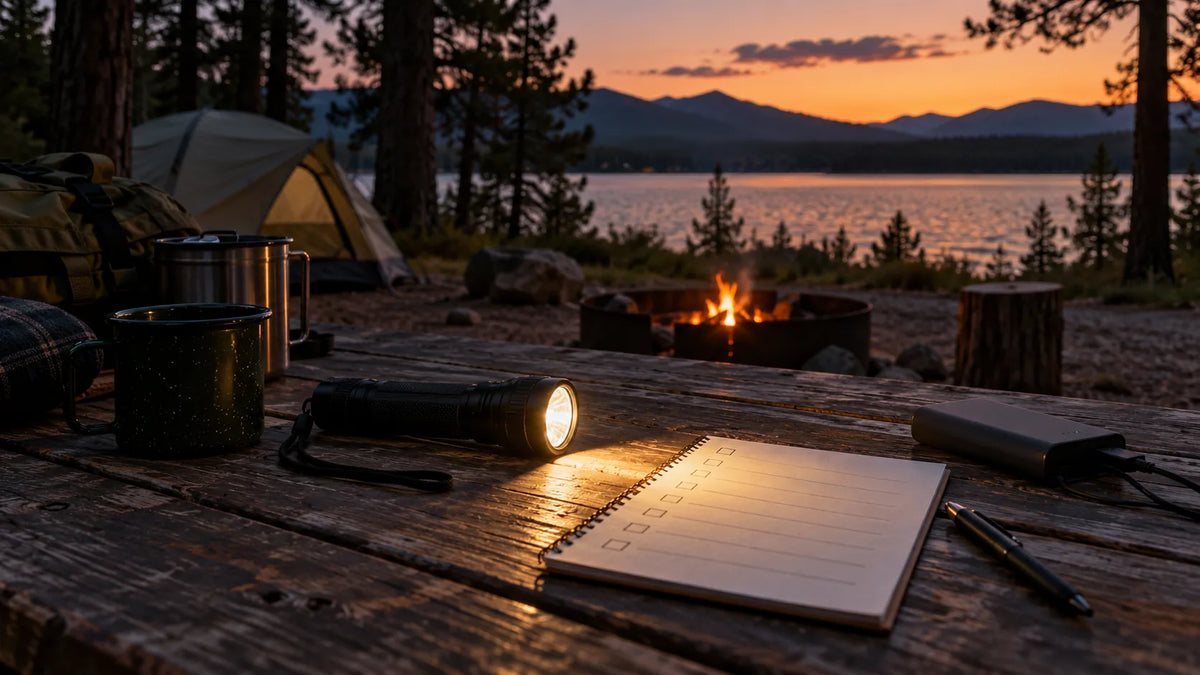
A rechargeable flashlight lasts as long as its tested runtime allows in the mode you actually use, with real results shaped by battery capacity, temperature, brightness, and handling. To plan reliably, read runtime by mode, note the test method, and estimate your own minutes of use instead of treating one headline number as a guarantee. A high setting may be useful for a short search, while a lower setting can cover routine camp, home, or walking tasks for much longer.
Runtime is a planning question as much as a specification question. The useful answer is not simply “How many hours does this flashlight last?” It is “How long will this light provide useful output for my task, in the conditions where I will use it?”
What flashlight runtime means
Runtime is the time a flashlight operates under a stated setup. That setup should identify the output mode, battery condition, temperature, and the point at which the test ends. Some tests end when the light turns off. Others end when output drops below a defined level, which means the flashlight may still be glowing but no longer delivering the same amount of light.
Two brands can publish different runtime numbers even when their lights feel similar in normal use because they use different test methods. A product page that lists “runtime” without naming the mode or end point gives you an incomplete comparison. Look for mode-specific values or a runtime chart, and keep the test conditions beside the number when you make a buying decision.
Why high, medium, and low modes change the answer
High mode
High mode draws more power and often produces more heat. It can help when you need to scan a distant edge, locate a trail feature, or work briefly in a dark space. Because the demand is higher, the usable runtime is usually shorter than on lower settings. Some flashlights also reduce output after a period at high mode to manage heat, so the initial brightness and the later brightness may differ.
Medium mode
Medium mode often fits ordinary movement, campsite chores, driveway checks, and work around a vehicle. It gives you useful light while leaving more battery reserve for the rest of the evening. If your product page provides a medium-mode runtime, use it as the starting point for trip planning when you expect repeated short tasks.
Low mode
Low mode is useful for reading a map, moving around a room, finding items in a tent, or walking near other people without creating glare. It may deliver the longest listed runtime, but the lower output may not be enough for a distant inspection or a large work area. A long runtime is helpful only when the mode still solves the job in front of you.
When a light has several modes, record the one you will use most often and the one you may need in an emergency. The gap between those two runtimes is more useful than a single maximum or minimum claim.
Battery capacity is part of the runtime story
Battery capacity describes how much electrical energy the battery can store under its rated conditions. A larger capacity can support more use, but capacity alone does not tell you the final runtime. LED efficiency, driver design, heat management, charging losses, battery age, and the selected mode all affect how much light you receive from that stored energy.
The SKYFIRE 2503 has a confirmed 5,000mAh battery, but the supplied information does not confirm its runtime in any particular mode. That distinction matters: the capacity is a documented feature, while the operating time still needs to be checked on the current product page. Do not convert the capacity into an invented number of hours without a tested output and battery voltage.
For the SKYFIRE 1097 and 2000J, the information provided here does not confirm battery capacity or runtime. Check the live product pages or ask support for mode-specific details if runtime is central to your choice. The same rule applies to any brand: an unlisted value remains unknown until the manufacturer supplies it.
Temperature and storage can change practical runtime
Cold weather can reduce the amount of energy a battery can deliver during a session, especially when the flashlight starts cold and is used at a high setting. Keep the light and spare batteries close to a stable temperature before use, follow the manufacturer's storage guidance, and avoid leaving a rechargeable light in a hot vehicle for long periods. Heat can also cause a flashlight to reduce output for protection.
Storage level matters as well. A light that has sat for months may start with less charge than expected, and a battery gradually loses capacity as it ages. Charge the light using the approved method before a trip and check the indicator or battery display when the model provides one. The 2503's confirmed four-level battery display can help with this check, but it does not replace a mode-specific runtime figure.
How your use pattern affects runtime
Many people do not run a flashlight continuously. They turn it on to find a zipper, walk a short path, put it down while cooking, and use it again for a final check. That pattern can make a single continuous-runtime number difficult to apply. Count the minutes when the light is actually on and note which mode you use for each task.
Beam control changes the way you use the battery too. A focused beam may help you see a distant point without raising output, while a wide flood pattern can require more aiming but make nearby work easier. If you keep switching modes, include those changes in your plan instead of assuming the longest listed runtime.
Build a simple runtime plan
Use a small worksheet before a trip or outage. It does not require an exact battery model; it requires an honest estimate of your use.
- List each task, such as walking to the restroom, cooking, checking a gate, or reading.
- Estimate the minutes of light needed for one session of each task.
- Multiply by the number of sessions you expect over the trip or evening.
- Assign the mode you would use for each task and use the published runtime for that mode when it is available.
- Add reserve for delays, bad weather, a lost item, or an unexpected inspection.
- Charge the flashlight before leaving and carry a second light or charging option when the consequence of darkness is high.
For example, if you expect three 15-minute walks and two 10-minute campsite checks, your planned use is 65 minutes before reserve. That number is a usage estimate, not a claim about any product. Compare it with the tested runtime for the modes you selected and adjust the plan if the product page uses a different test end point.
Questions to ask when a product page lists runtime
- Which mode produced the runtime: high, medium, low, flood, spot, or another setting?
- Does the test measure time until shutoff or time until output drops below a threshold?
- Was the light regulated, or does output fall as the battery voltage falls?
- Was the battery new, fully charged, and tested at a stated temperature?
- Does the page show a runtime chart or only one headline value?
- Are the charging method and battery details clear enough for your trip?
- Does the model provide a battery indicator, and what does each level mean?
If these answers are missing, treat the runtime as unverified. Contact the seller before ordering if a specific duration is essential for work, travel, or emergency preparation.
Runtime expectations for common scenarios
Camping
Plan around repeated short sessions rather than a light running all night. Use a lower or medium mode for tent organization and walking, then reserve a higher mode for a quick distance check. A headlamp or camping light can reduce the time you keep a handheld pointed at a work surface.
Power outages
Keep one light available for movement and another option for stationary area lighting when possible. A model with a visible battery display can make it easier to decide when to recharge, but the mode runtime still determines how long it can support a hallway or kitchen task.
Yard and farm checks
Use a focused or adjustable beam only when the task requires distance. For close work at a gate, shed, or vehicle, switch to a comfortable lower mode so you preserve reserve for the rest of the inspection.
Work and repairs
Choose the lowest mode that gives you enough detail without glare on metal or painted surfaces. If the light repeatedly steps down because of heat, note that behavior in your plan and keep a backup option nearby.
Final runtime checklist
- Match the runtime number to the exact mode and beam setting you will use.
- Read the test end point and any runtime chart before comparing brands.
- Account for cold, heat, battery age, storage, and repeated mode changes.
- Estimate actual minutes of use and add a reserve.
- Confirm charging access, battery indicators, and a backup plan.
- Keep unconfirmed runtime data as unknown rather than filling it with a guess.
Runtime becomes easier to judge when you connect the specification to your routine. Compare tested modes, battery information, temperature guidance, and your own usage pattern together. To review rechargeable options and confirm current model specifications, visit the SKYFIRE flashlight collection.
A flashlight can be bright enough for a task and still fail your plan if its useful mode runs out too soon. Read runtime as a tested reference, then build a simple schedule with reserve. That approach gives you a more realistic expectation for camping, outages, yard checks, and everyday work.

Leave a comment
This site is protected by hCaptcha and the hCaptcha Privacy Policy and Terms of Service apply.